
XC Configuration
CSD is already enabled on the demo application. This section shows the configuration screens.
Navigate to Client-Side Defense
Section titled “Navigate to Client-Side Defense”- Log in to the F5 Distributed Cloud Console
- Select the Client-Side Defense workspace
- Set the namespace to bot-defense
- Navigate to Manage → Configuration
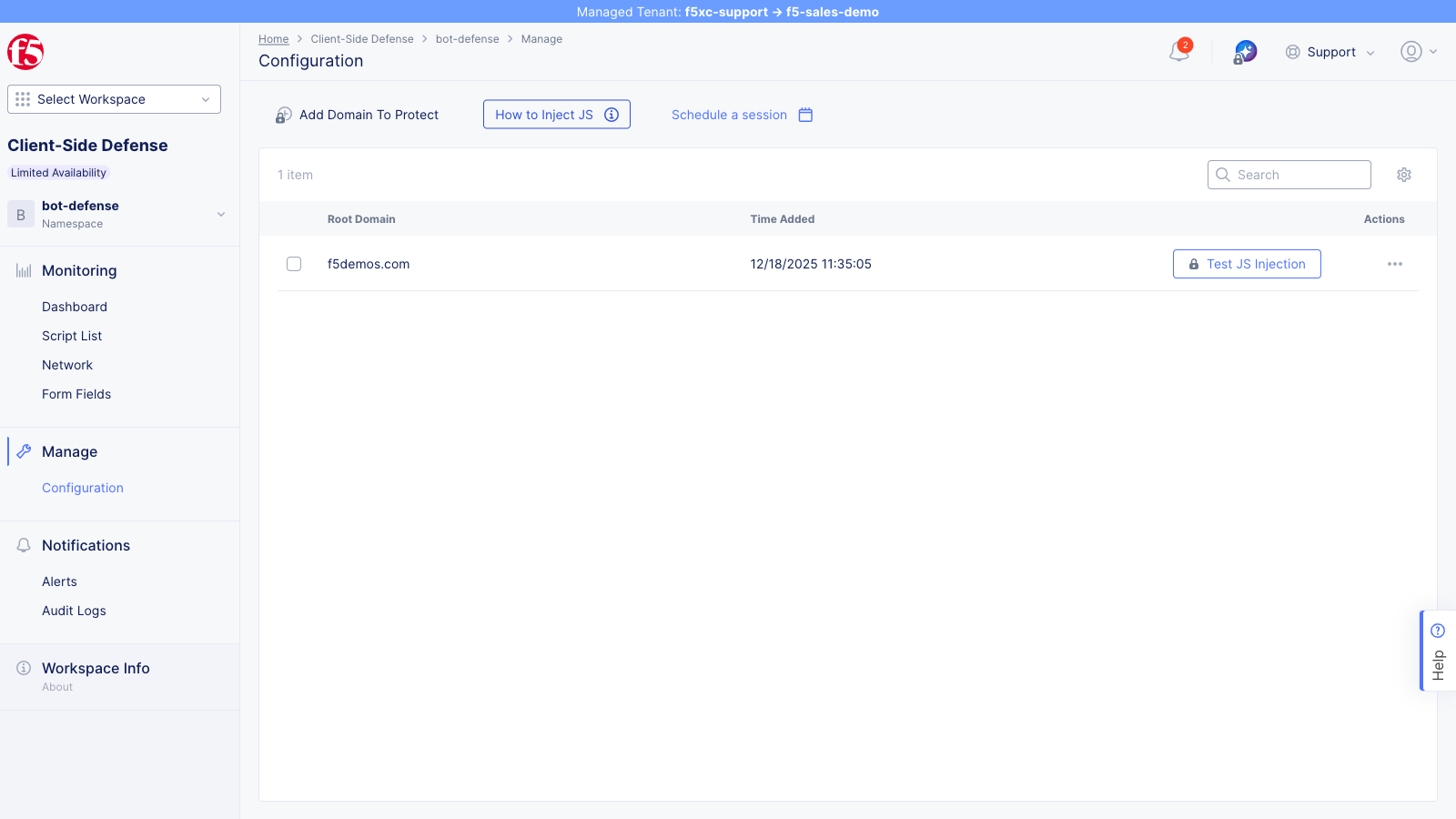
Domain Configuration
Section titled “Domain Configuration”Adding a domain on the CSD Configuration page registers it with the CSD reporting engine. This defines the namespace scope for which CSD gathers and reports telemetry — script detections, alert notifications, and mitigation actions all roll up under the registered domain.
The demo domain (botdemo.sales-demo.f5demos.com) is registered here.
HTTP Load Balancer Method
Section titled “HTTP Load Balancer Method”The HTTP Load Balancer is where JavaScript injection is configured. This controls whether and where the CSD scripts are inserted into application pages served through the load balancer.
-
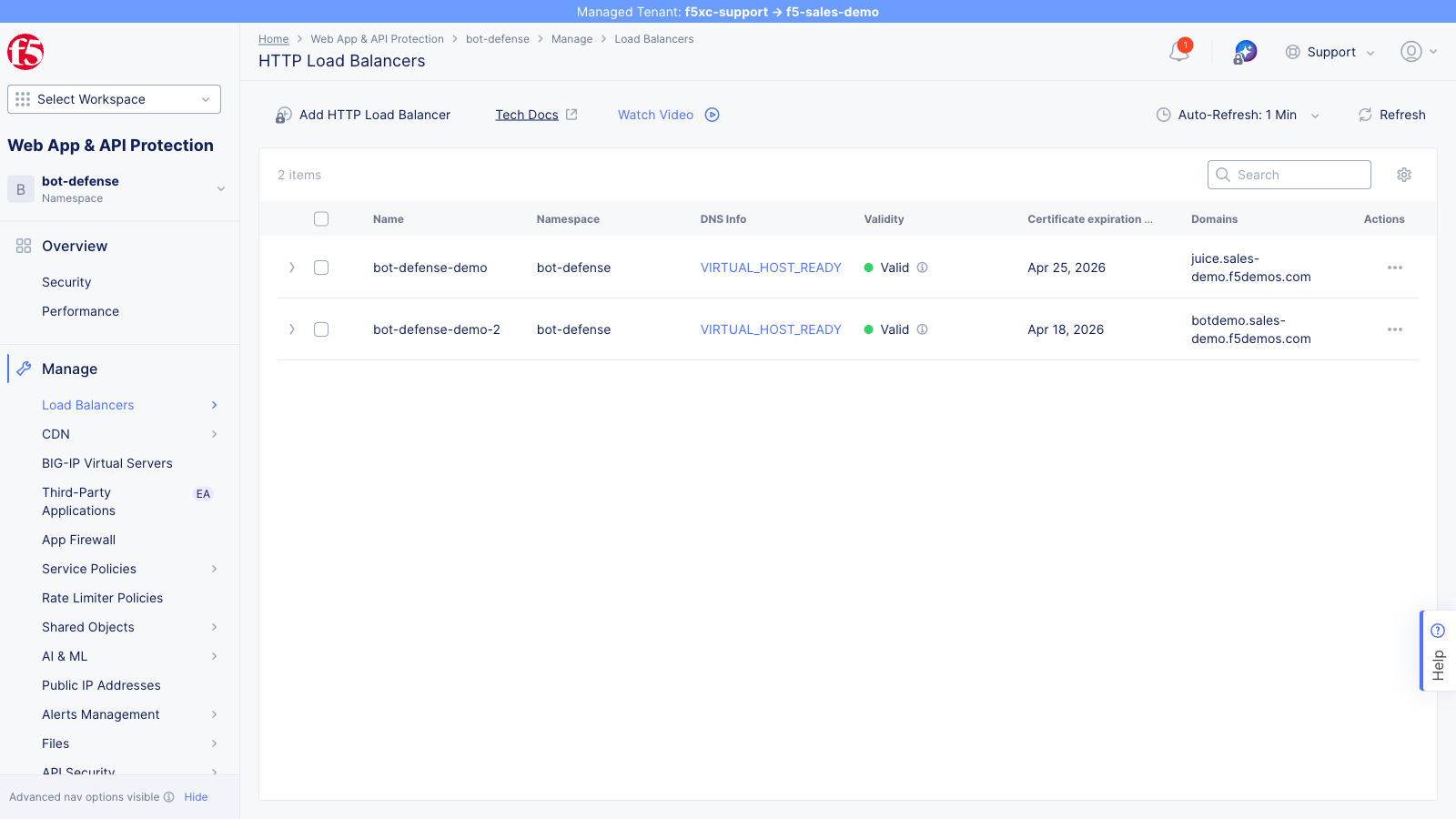
Navigate to Multi-Cloud App Connect → HTTP Load Balancers
-
Click the … (actions) menu on the load balancer serving the application and select Manage Configuration
-
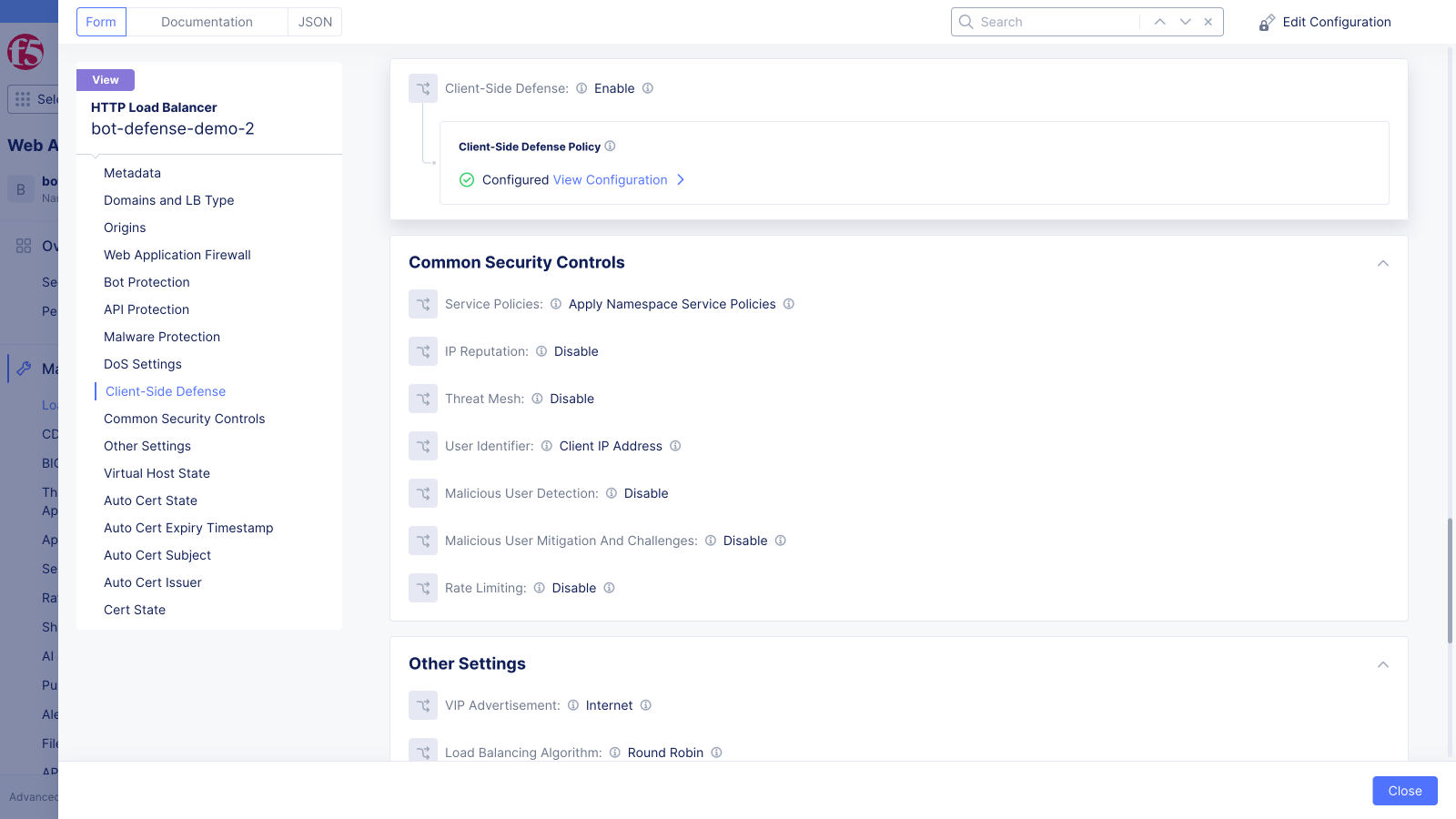
Scroll to the Client-Side Defense section in the left sidebar
The Client-Side Defense field is set to Enable and the Client-Side Defense Policy shows Configured.
-
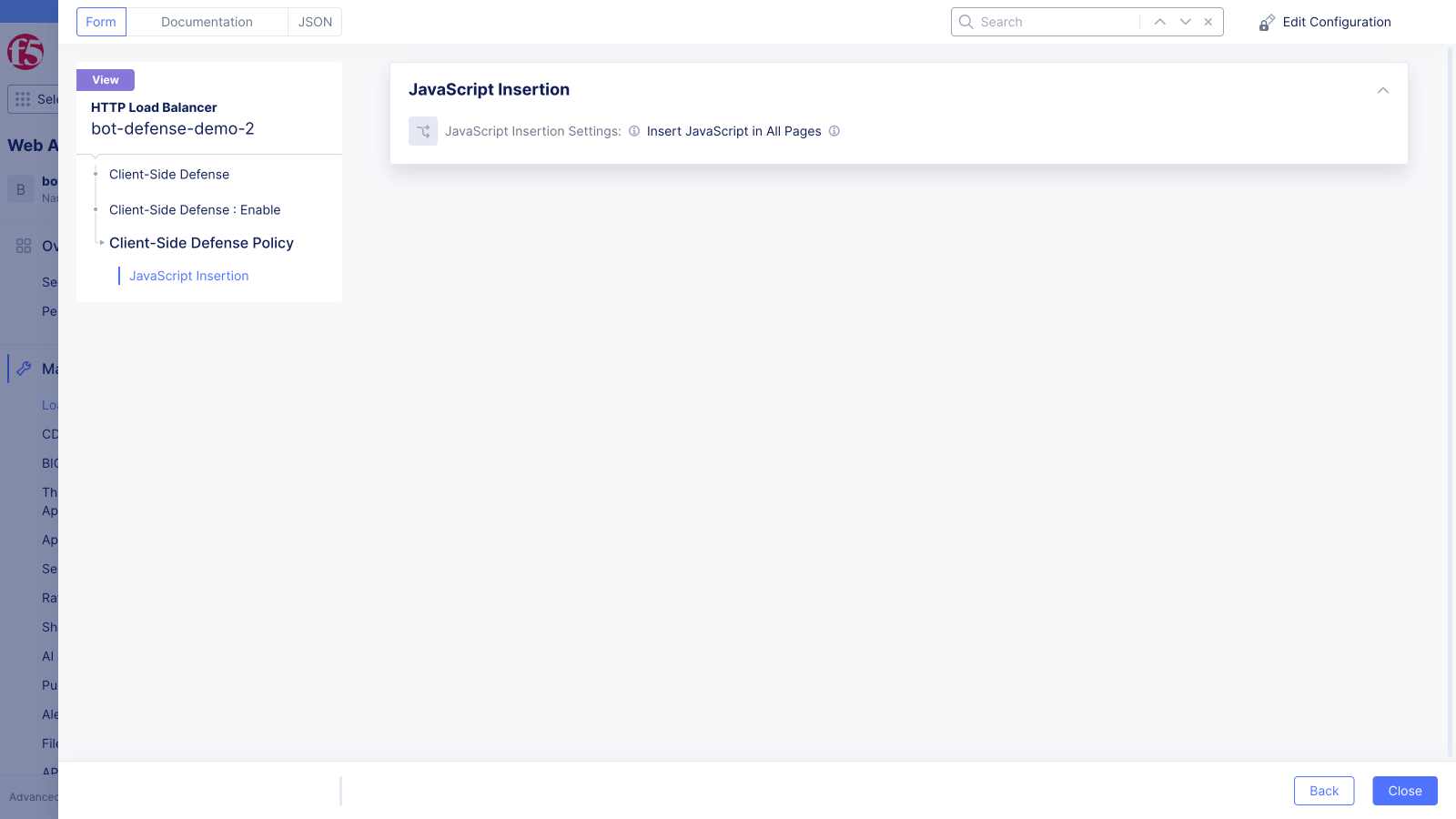
Click View Configuration to open the CSD policy details
The JavaScript Insertion Settings field shows the injection scope. The demo load balancer is set to Insert JavaScript in All Pages.
Verify Script Injection
Section titled “Verify Script Injection”- Open the demo application in Chrome
- Press F12 to open DevTools
- Go to the Elements tab
- Search for
__imp_apg__orzeronaughtin the HTML to locate CSD instrumentation scripts - Confirm one or more CSD
<script>tags are present in the<head>— the exact script paths vary by deployment - Confirm the scripts were injected by the load balancer (they are not part of the application source)
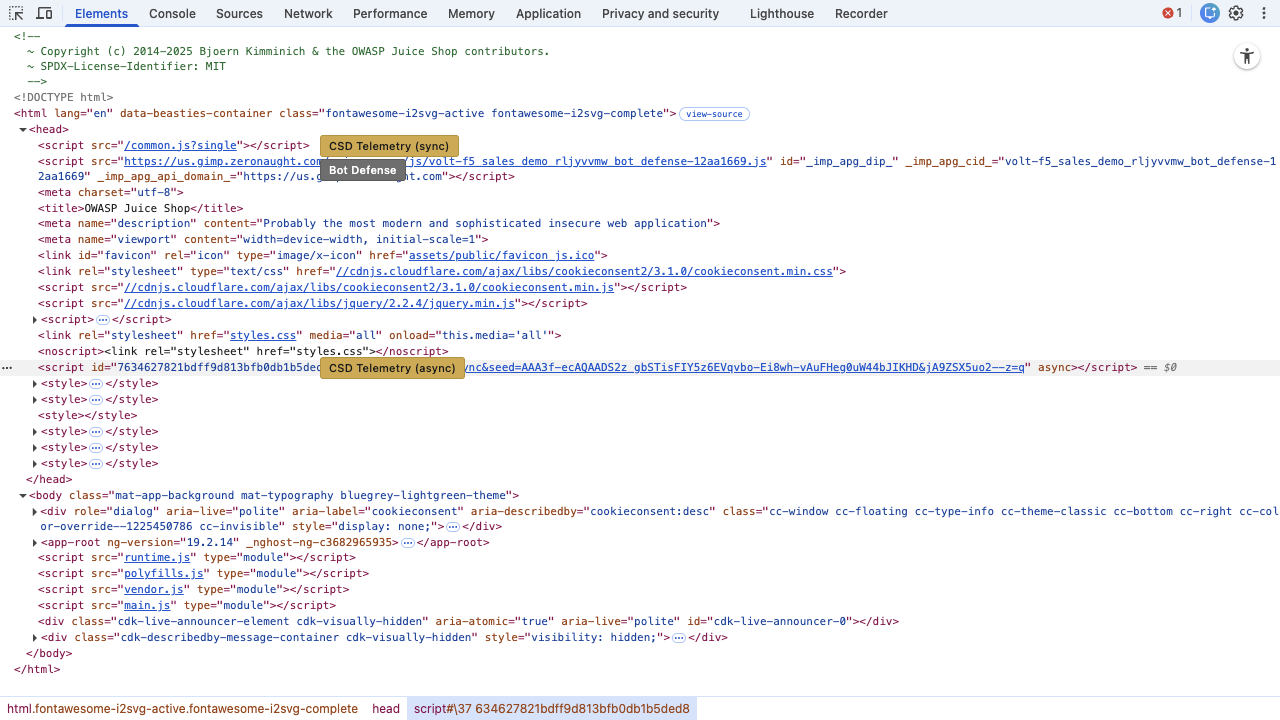
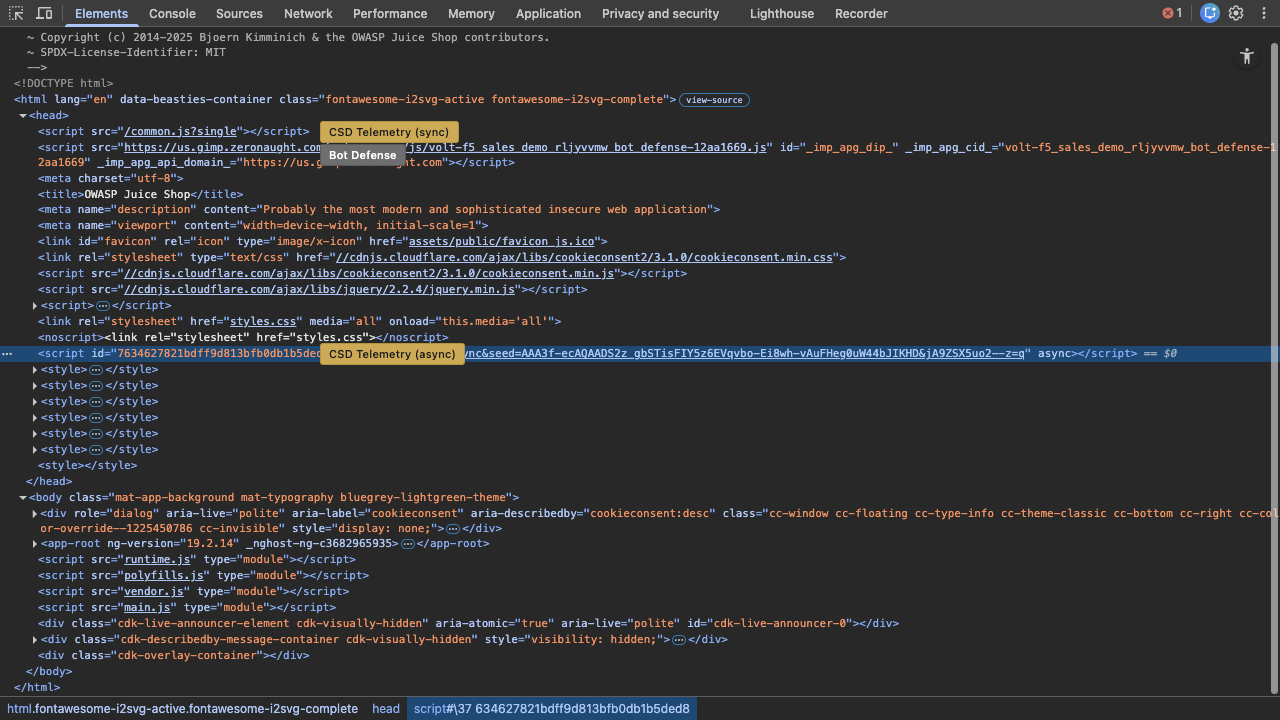
The CSD instrumentation scripts are injected by the F5 XC load balancer — they are not part of the application source.